
- Work
- 05
- Coastline
- 2025
A 3D product configuratorbuilt for mobile customers
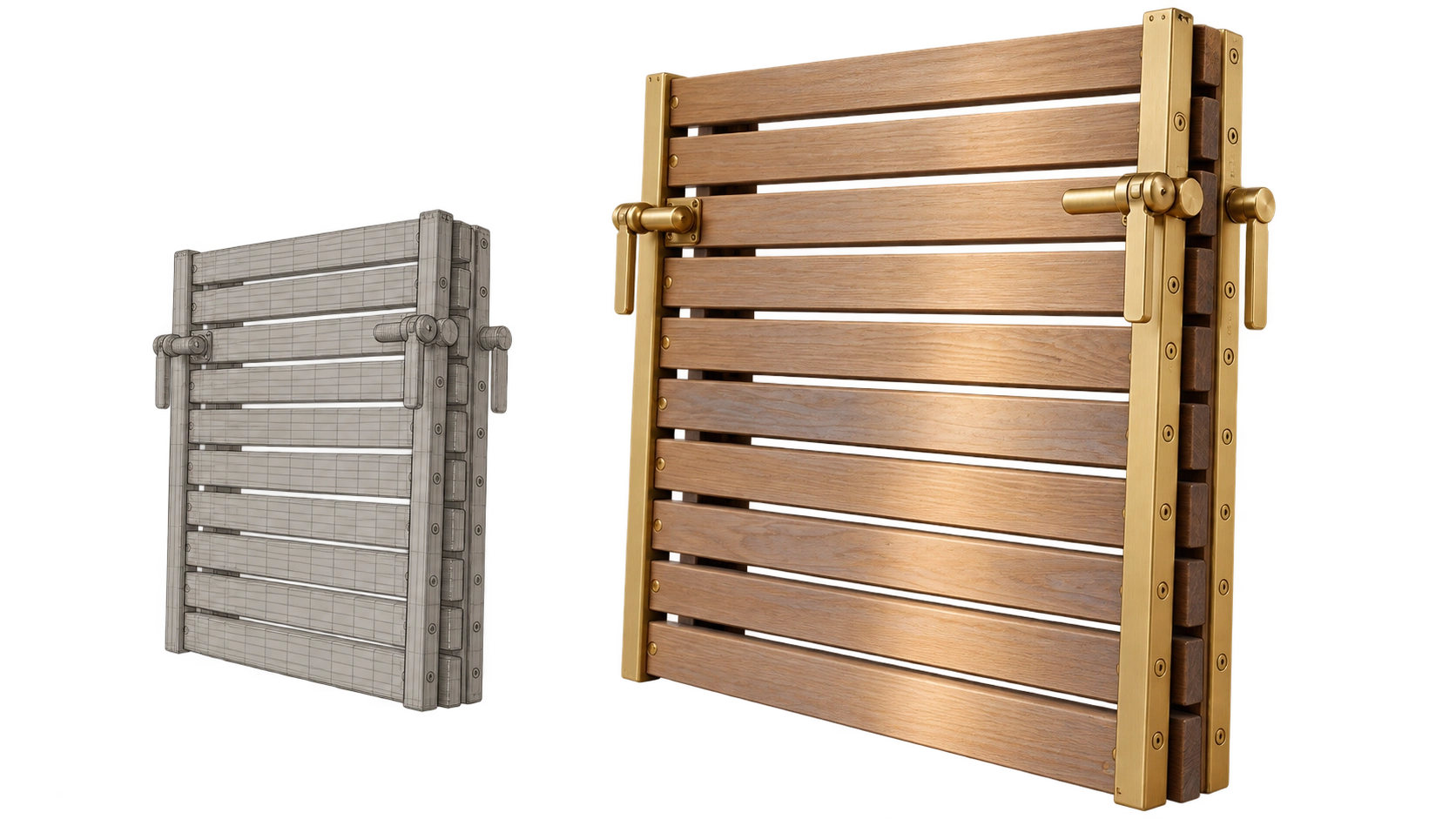
Coastline’s online configurator lets customers explore a slatted timber panel in 3D before requesting a quote. We reduced the time before they could use it from 11 seconds to 2.4 seconds on a Pixel 4a, while keeping the wood, brass fittings and product details clear.
- 3D
- Product
- 2025
- 1.31 MB
- Pixel 4a
The brief
Customers needed to inspect the product on their phones without waiting eleven seconds for the 3D viewer to respond.
The existing configurator looked good on a desktop, but customers on phones had to wait too long before they could interact with the product. Coastline initially asked for better-looking 3D. The more useful first step was to make the viewer load faster and give customers clear views of the panel. We focused on download size, model detail and camera controls, then tested the result on a real Android phone.
Fig. 02
What the viewer needs to download
The model, textures and code total 1.31 MB, below the 1.40 MB limit. These figures were recorded in week 11 on a Pixel 4a with a limited 4G connection, using the median of twelve runs.
Geometry (Meshopt)
412 kB
Normals + AO (KTX2)
486 kB
Albedo (KTX2)
241 kB
JS + WASM
171 kB
Total
1.31 MB
Ceiling
1.40 MB
The approach
We set two targets before rebuilding the viewer: download no more than 1.4 MB, and respond to customer input within three seconds on a mid-range Android phone over a limited 4G connection. Those limits guided decisions about the 3D model, its surface images and the code needed to display it.
We simplified the model and moved fine surface detail into texture images, preserving the appearance of the wood and fittings with less data to download. We then compressed both the model and its textures. Camera movement was limited to useful viewing angles, so customers could inspect the panel without getting lost behind it or zooming into unfinished areas.
We tested the viewer on a Pixel 4a every week. Using a physical phone helped us check loading time and responsiveness under the conditions we were designing for, rather than relying only on a desktop preview.
Fig. 03
Four views that help customers inspect the product
Each view answers a different question: What does the panel look like overall? How are the slats arranged? How thick is it? What do the fittings look like? These images illustrate the views used to guide the camera controls.
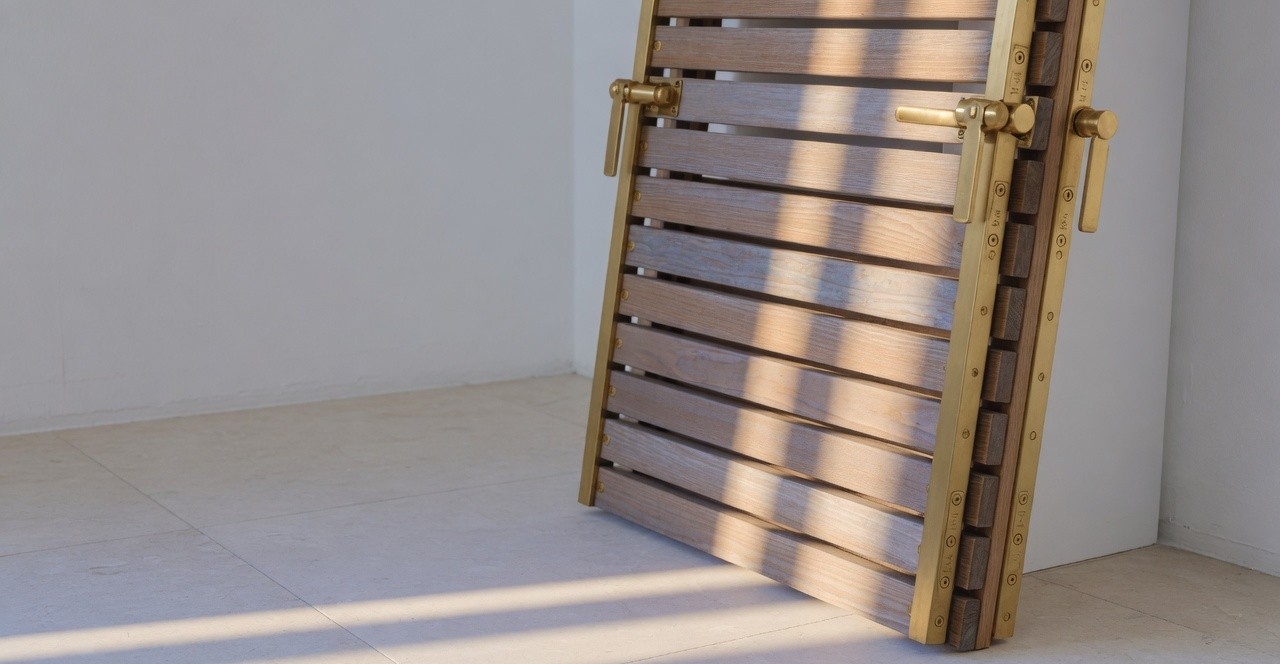
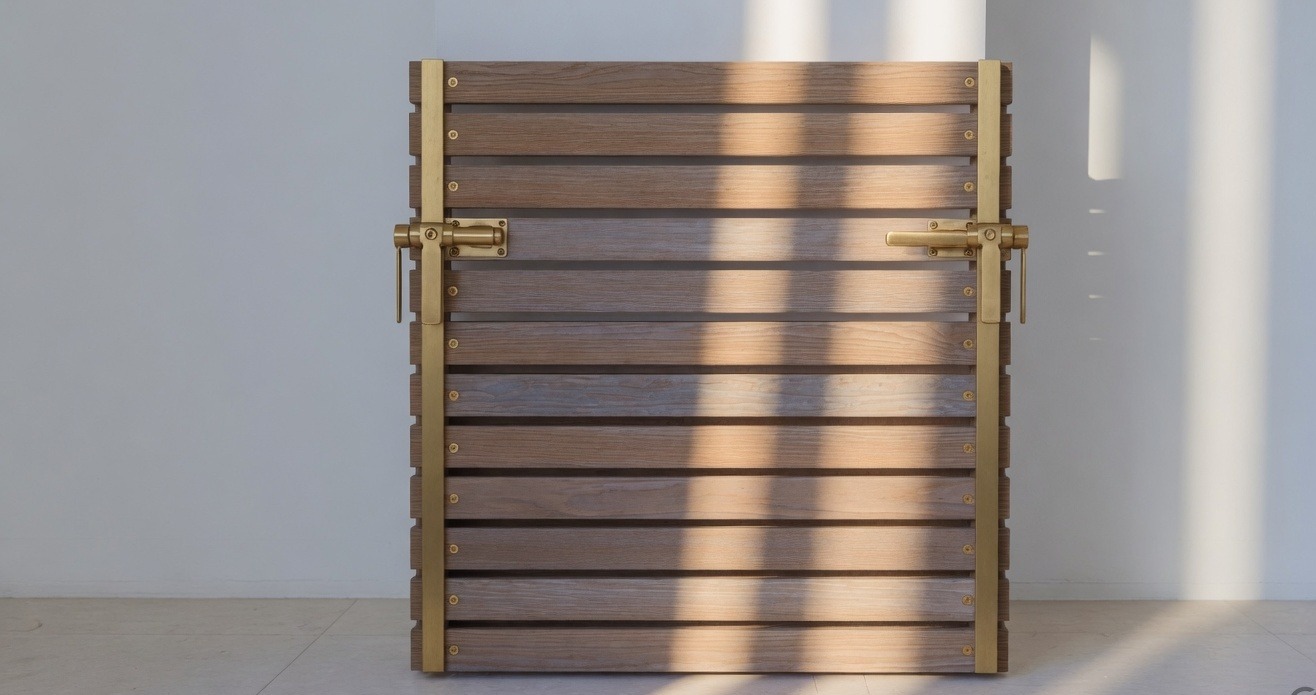
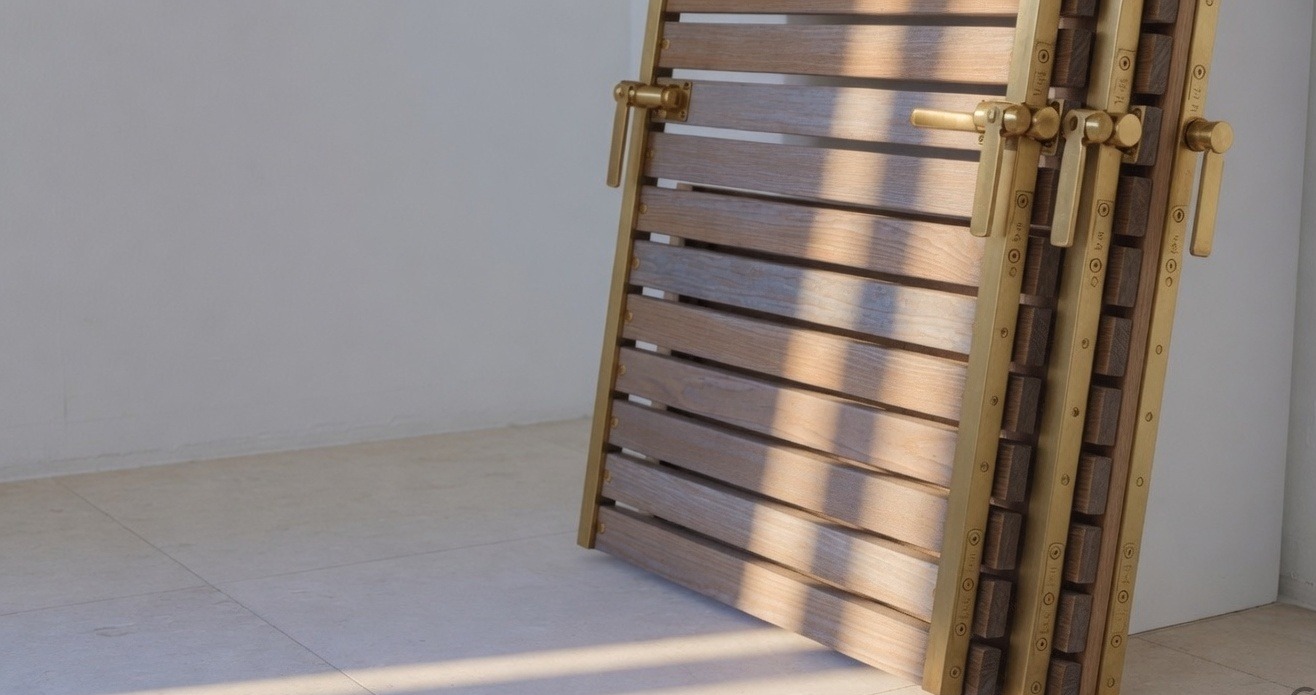
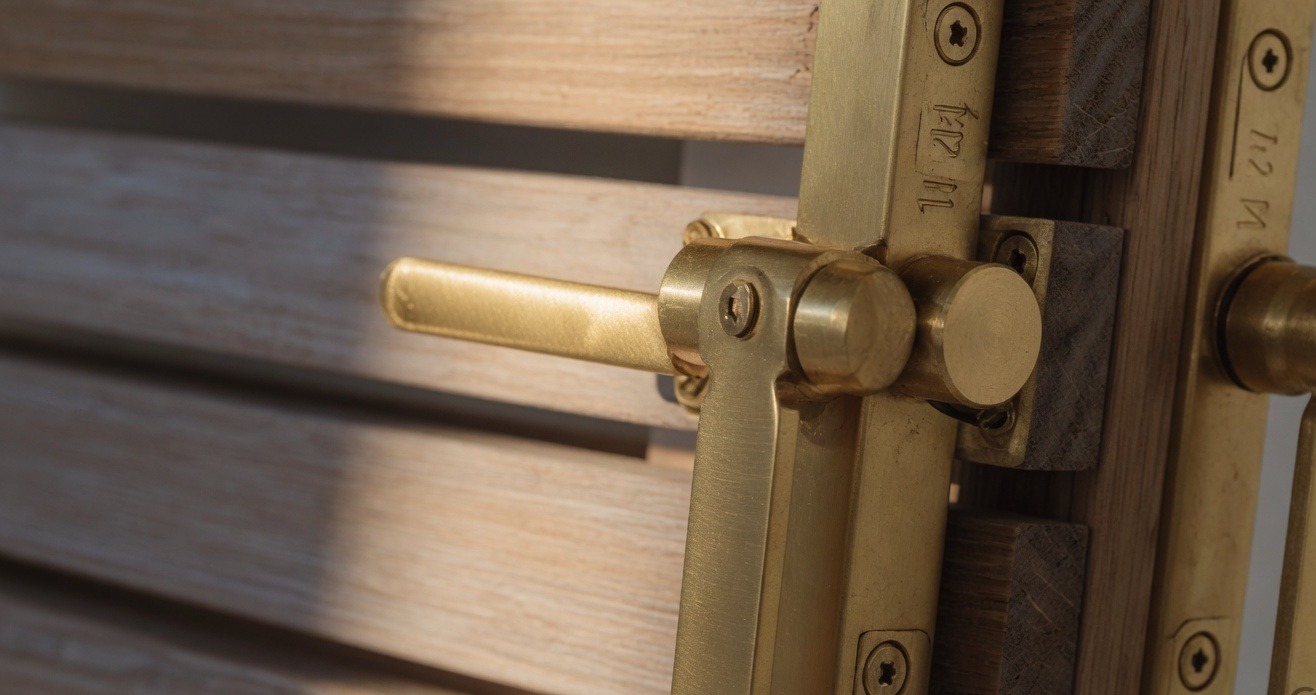
Fig. 04
Camera controls built around useful views
Customers can turn the view up to 32° left or right and adjust its height between 18° and 42°. These limits keep the panel in view. A close-up stop lets them inspect the fittings.
The outcome
1.31 MB
Total download size
Includes the 3D model, surface textures and viewer code. Recorded in week 11; median of twelve test runs.
2.4s
Ready to use on a Pixel 4a
Measured on a physical phone with a limited 4G connection.
11s→2.4s
Time before the viewer responds
Previous and rebuilt viewers for the same product page.
+22%
Mobile quote completions
The project records a 22% increase in mobile completions. The measurement period and sample size are not specified in this case study.
Held to
Three laws from the canon, applied on this job rather than cited after it.
01
Ship the budget with the model
We agreed the 1.4 MB download limit at the start. Every change to the model, textures or code had to fit within it. The breakdown above shows where that allowance was used.
Read the law →02
The camera is composition
We chose camera angles around what customers needed to inspect: the whole panel, the slat arrangement, its thickness and the fittings. Movement limits kept those views easy to reach.
Read the law →03
Latency is a design material
Loading time affects whether a customer can use the viewer at all. Reducing the download and checking performance on a phone addressed the delay itself.
Read the law →
Next project
The audit that argued against hiring us
Northline · 2024

Something similar in front of you?
Describe the problem rather than the solution. We reply within two working days and will tell you honestly whether this is work we should take.