How to Create a Product Launch Video: Ideas, Steps, and Tools
A practical guide to planning, scripting, shooting and publishing a product launch video, with real examples, real costs, and tools for every budget.
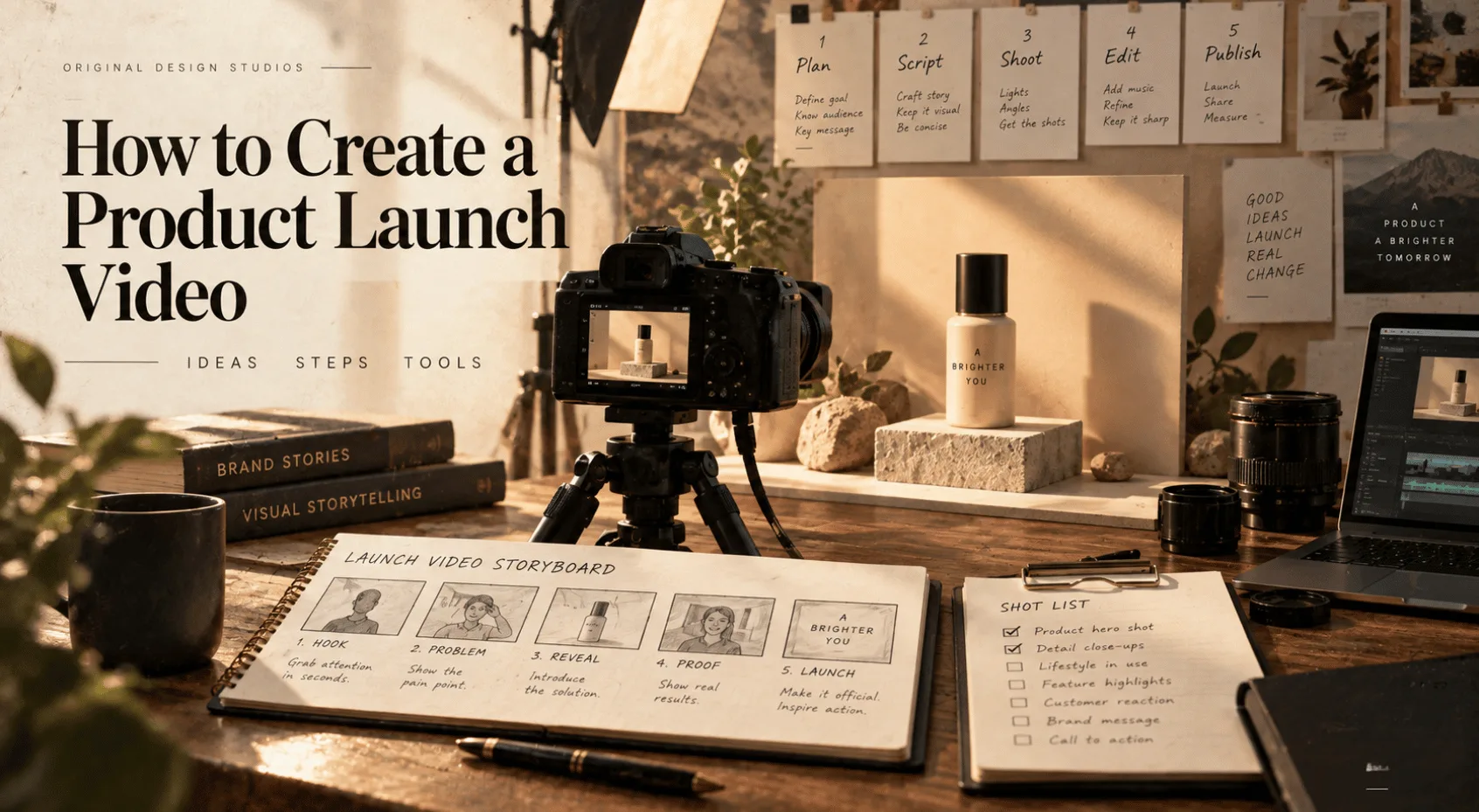
You have a launch date, a product with a dozen good features, and a blank timeline where your product launch video should be. The instinct is to explain everything the product does, so the script turns into a feature list, the cut runs a minute too long, and a viewer taps away before the point ever lands. What decides whether the video works is the planning, and it happens long before anyone starts filming.
We build product films, launch pieces and social cuts for a living, and the failure is nearly always the same. Someone starts cutting before deciding what the video needs to prove. A product launch video has to show why the product matters today, in the little time an audience will give it, and the answer has to be settled before a single frame gets recorded.
Below are the formats worth building around, an eight-step process from brief to export, tools for every budget from a phone and an afternoon to a full agency, and a hands-on run through the agent-driven route.
What a Product Launch Video Should Achieve
A product launch video is a short video, usually 30 to 90 seconds, made to introduce a new product or release, show what it does and get the viewer to take one next step, such as signing up, buying or booking a demo. It runs on a landing page, in social feeds and email, and on launch platforms like Product Hunt.
Video is already standard practice. In Wyzowl's 2026 State of Video Marketing survey, 91 percent of businesses use video as a marketing tool, and 85 percent of people say a video has convinced them to buy something. Persuasion like that depends on the video showing the product doing something specific.
The job splits into three parts, in order. Make the product recognisable. Make the change it creates obvious. Give the viewer somewhere to go next. Everything else, including how polished it looks, exists to support those three parts. A gorgeous thirty-second cut that never shows the product working has failed at the first part, whatever it cost.
Product Launch Video Ideas and Formats
Different launch contexts call for different formats. Pick the one that matches where the video will run before you write a word of script.
Hero showcase: Cinematic shots of the product on its own, built for a landing page hero or a keynote moment. Earns its budget when the product's physical form or interface is genuinely worth lingering on.
Problem-first explainer: Opens on the frustration rather than the logo, then walks through how the product removes it. Fits anything whose value isn't obvious from a screenshot alone.
Screen-recorded demo: A real walkthrough of the interface, usually voiced over, aimed at Product Hunt and developer audiences who want proof over polish.
Teaser or countdown: Short, deliberately incomplete clips released before launch day to build anticipation. Worth doing when there's a real date worth counting down to.
Founder-led single take: One person, one camera, one argument, delivered straight to the lens. Costs almost nothing and works when the founder is a credible messenger.
Comparison or before-and-after: Puts the old way next to the new one, or the product against life without it. Works when the improvement is easy to see and hard to argue with.
Two Product Launch Video Examples Worth Studying
Dollar Shave Club's 2012 launch video reportedly cost about $4,500 and one day to shoot, with its founder in a warehouse mocking overpriced razors for ninety seconds. It brought in 12,000 orders in 48 hours, and Unilever bought the company four years later for a reported $1 billion. The budget was small. The joke was specific.
A hero showcase doesn't need a product spinning on a pedestal either. For an event-streaming product with nothing to point a camera at, we spent a day in a restorer's workshop filming a 1960s telex machine, which already publishes, queues, holds and replays messages on paper tape. The 90-second film used no stock shots, and 68 percent of viewers watched to the end.
Product Launch Video Production Process
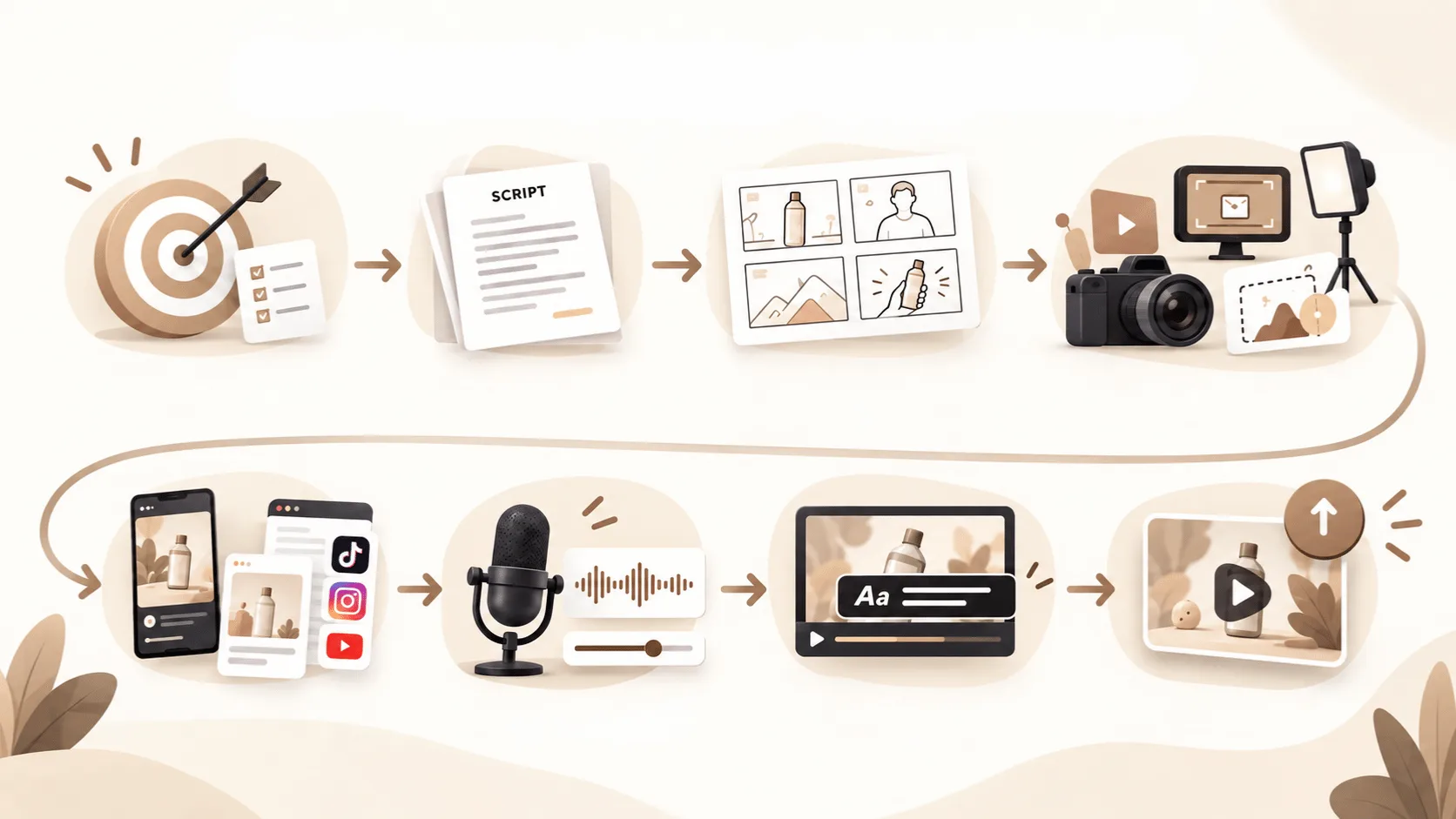
Getting from brief to finished file is not one task. We treat it as a short sequence of decisions, each of which narrows the next one. Skip a step and the gap shows up later, usually at the worst possible point in the schedule.
1. Define the Goal of Your Launch Video
Before any script exists, boil the whole video down to one sentence that names who this is for, the single change they should understand, and what you want them to do next. Three questions, one sentence. We treat the sentence as the real brief and everything after it as execution. Launches tend to stall here, usually because nobody has agreed on the answers.
A filled-in version might read like this. Freelance designers juggling client work in spreadsheets should see one board replacing the whole sheet, then try it on their next project.
Resist the urge to list every feature. A video that tries to say everything ends up proving nothing, because the viewer can't tell which of six claims was the point. Write the sentence down before anything else gets written. If a line in the script doesn't serve it, cut the line, no matter how clever it is.
2. Write the script as beats
A product launch video script works best as a sequence of short beats, not paragraphs of copy. Each beat should cut on the change of intent, meaning a new shot earns its place once the previous one has said what it came to say. A 60-second launch video can follow the shape below, with the order mattering less than each beat answering a question the last one raised.
Beat | Seconds | What it does |
|---|---|---|
Hook | 0 to 5 | Opens on the result or the problem |
Reveal | 5 to 15 | Shows the product doing the one thing |
Proof | 15 to 45 | Two or three strengths, each shown rather than described |
Close | 45 to 60 | Lands the result, then makes the ask |
At a normal speaking pace of 130 to 150 words a minute, 60 seconds holds roughly 130 to 150 words of narration, fewer than most first drafts contain. Read the script aloud before storyboarding it. If a sentence needs a second attempt to say clearly, a viewer will not follow it on the first pass either.
3. Create the Storyboard
Sketch each beat as a single frame before deciding how it gets made. A storyboard forces the shot decision (wide, close, screen capture, product in hand) ahead of the tool decision, which keeps the format from dictating the story. Even four boxes on a notepad beat opening an editor cold.
4. Choose a Production Method
The right production method depends on what the product is. A physical object with texture, weight or scale usually needs live footage, because no amount of generated video sells the feel of a material shot under real light. Software with a genuinely good interface usually works best as a clean screen recording, since the real product is the strongest asset available. A product that's hard to photograph, or a team without camera access, is where motion graphics or an AI-generated first pass earns its keep, provided someone reviews the result against the brand before it ships.
Mixing methods within one video is normal. A hero shot of the packaging, cut against a screen recording of the app inside it, tells a more complete story than either approach alone.
5. Edit for Your Target Platform
The opening's job is giving the viewer a specific reason to keep watching, not introducing the company. Open on the result, the problem, or the product itself, and save the logo for a moment that has already earned attention rather than delaying it. A feed video usually needs to make the case within the first few seconds. A video someone chose to click on a landing page can afford a slower start.
Keep the cut list matched to the beats in the script. A shot that supports none of the three answers in the brief sentence is decoration, and decoration is the first thing a tired viewer skips.
6. Edit Voiceover and Sound
Balance the dialogue clips first, because sound carries half of what a launch video communicates and a loud final master never repairs an unclear recording. Add music while listening to the speech underneath it, reducing the music wherever it competes rather than applying one fixed level to the whole track. Then check the export on a phone speaker at arm's length, not through studio headphones alone. Most launch videos are watched with the sound half-attended to, and a mix that needs total silence to work fails the exact conditions it will be played in.
7. Export the Video for Each Platform
Most social feeds play video with the sound off, so a video without captions is a silent film to many of its first viewers. Add captions timed to the actual speech, not an auto-generated pass left uncorrected. Then check any on-screen titles on a real phone at normal size, since text that reads cleanly in a full-size editor preview can turn to noise once the platform compresses it. Mute the video and watch it once more. If the message still lands without sound, the caption pass is done.
8. Add Captions and Check Text Legibility
A launch rarely lives in one place. A landing page hero, a Product Hunt embed, a square feed post and a vertical social cut usually all come from the same master, each at its own frame size. Once the edit and captions are locked, check the estimated file size against the resolution and duration before committing to a render preset, since an oversized upload gets recompressed by the platform anyway and often looks worse than a file sized correctly the first time. Render last, because burned-in captions can't be changed once the file exists.
Product Launch Video Tools by Production Method
Every tool below speeds up one or more steps of making a product launch video, and the right one depends on how much of the work you want to do by hand.
Video Editing and Motion Graphics Tools
Adobe Premiere Pro and DaVinci Resolve remain the standard tools for a hand-cut edit, with After Effects going deeper on motion graphics, animated text and compositing. Hand editing is the route to pick when full control over every frame matters more than speed. It also asks for real editing skill and real hours in return, which suits a team that already has an editor on staff more than one racing a launch date.
Screen Recording Tools for Product Demos
A software demo can skip most of the editing overhead. Loom and Tella record the screen with a voiceover and produce a shareable video in minutes, while Arcade turns a click-through of the product into an interactive demo. Each suits anyone who'd rather show the real product than polish a version of it.
Programmatic Video Production Tools
For a launch that needs a different cut per account or per customer, video generated from data and rendered in code scales in a way manual editing never will. The approach is built on Remotion, a framework for writing video as React code and rendering the result as a normal file. We have run it at scale ourselves. A single template produced 41,206 individual year-in-review videos in one automated run, each personalised to a different customer's own activity.
AI Video Generation and Agent-Driven Tools
Handing the build to an AI system skips manual editing, and the tools come in two kinds. Prompt-based generators assemble a finished video from a script inside a hosted web app. Agent-driven tools build an editable project from a plain description.
Synthesia: An AI video platform that turns a script into a presenter-led video, using a library avatar or a personal one built from a photo or short video. It supports more than 140 languages, which makes it a common pick for training and onboarding videos as much as launches.
CoAnimator: An agentic AI animation studio where a project's script, scenes and render settings sit as plain files a coding agent like Claude Code can edit directly, with rendering done locally. The free tier stays free for life at 720p with a watermark, and a paid licence unlocks 4K.
HeyGen: An AI video generation platform that turns text, images or audio into avatar-led videos with narration and captions, and leans hard into translation. Video can be translated and lip-synced across more than 175 languages and dialects, useful for a launch going out across several markets at once.
Pictory: An AI video platform that turns scripts, blog posts and articles into videos, splitting the text into scenes and adding visuals, captions and AI voiceover. It suits teams repurposing existing written content into a launch-day social cut, since the first draft starts from words already written.
Whichever of these ends up touching the footage, name it and say who signed off on the result. Naming it costs nothing, and it's the standard worth holding any machine-assisted work to.
Product Launch Video Production Services
A team with a launch date and nobody who edits video usually gets a finished file fastest by hiring it out. The price depends mostly on production style. The video marketplace Advids publishes per-minute prices for startup launch videos (April 2025 figures), and the spread is wide.
Production style | Price per minute | Typical timeline |
|---|---|---|
Whiteboard explainer | $1,500 to $2,500 | 2 to 3 weeks |
Animated slideshow | $2,000 to $3,500 | 2 to 4 weeks |
UI mockup animation | $2,500 to $4,500 | 3 to 4 weeks |
2D animated explainer | $3,000 to $5,000 | 4 to 5 weeks |
Motion graphics with product demo | $3,500 to $6,000 | 4 to 6 weeks |
Live action with product integration | $4,500 to $7,000 | 5 to 7 weeks |
3D product visualization | $5,500 to $7,000 | 6 to 8 weeks |
For a 60-second video, the same source gives an average of $2,940 and a range of $1,000 to $16,000, with most projects between $3,200 and $7,500. Location shifts the number too. US studios average $6,060, European ones $3,920 and Asian ones $1,770.
Before collecting quotes, work back from the launch date. A style that takes four to six weeks won't fit a launch two weeks out. Then ask each studio what the price includes, and get script, revision rounds, voiceover, captions and platform cuts confirmed in writing.
If the budget is small, an agentic video generation tool is the practical alternative. You describe the video, the agent builds the scenes, and you spend your time reviewing instead of paying for a studio's hours. The walkthrough below shows what that looks like in real workflow.
How to Make a Product Launch Video With AI
The decisions from the eight steps still come first. The agent then turns them into scenes you can watch and redirect. As one example of the agent-driven route, here is how the work runs in CoAnimator, from a fresh install to a rendered file.
1. Install and connect an agent
Setup is short. Export needs FFmpeg and FFprobe, and some agent connections need Node and npm, so install them before the first render.
Download the installer for macOS 13 or later, Windows or Linux. No account is needed.
Work through the welcome checklist, which covers connecting an agent, media setup and opening a project. It can be skipped and Settings is there for later.
Choose Start blank for an empty project, or New for templates, which download on demand.
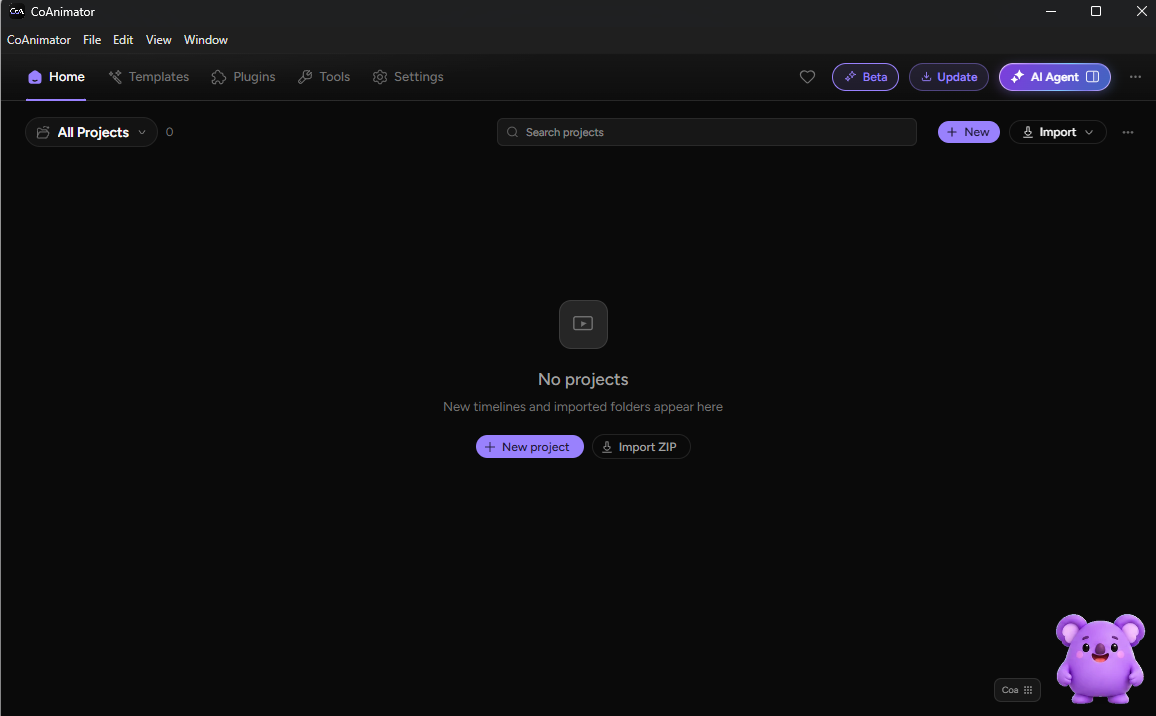
Then connect the provider you already use from the Agents panel. The provider may bill its own usage separately.
2. Write the brief and script
Send the one-sentence brief from step 1 as the first message, with the format, the length and where the video will run. Ask for the script before any scenes, so the words are fixed first. This prompt works as a template.
Build a 45-second launch video for [product]. It is for [audience]. The one change they should understand is [change]. End by asking them to [action]. Open on the result, show the interface in use, and keep the logo for the final beat. Draft the script first so I can edit it before you build any scenes.
The agent researches the product and drafts the script. Read it aloud and cut anything the brief doesn't need.
3. Review the build on the stage
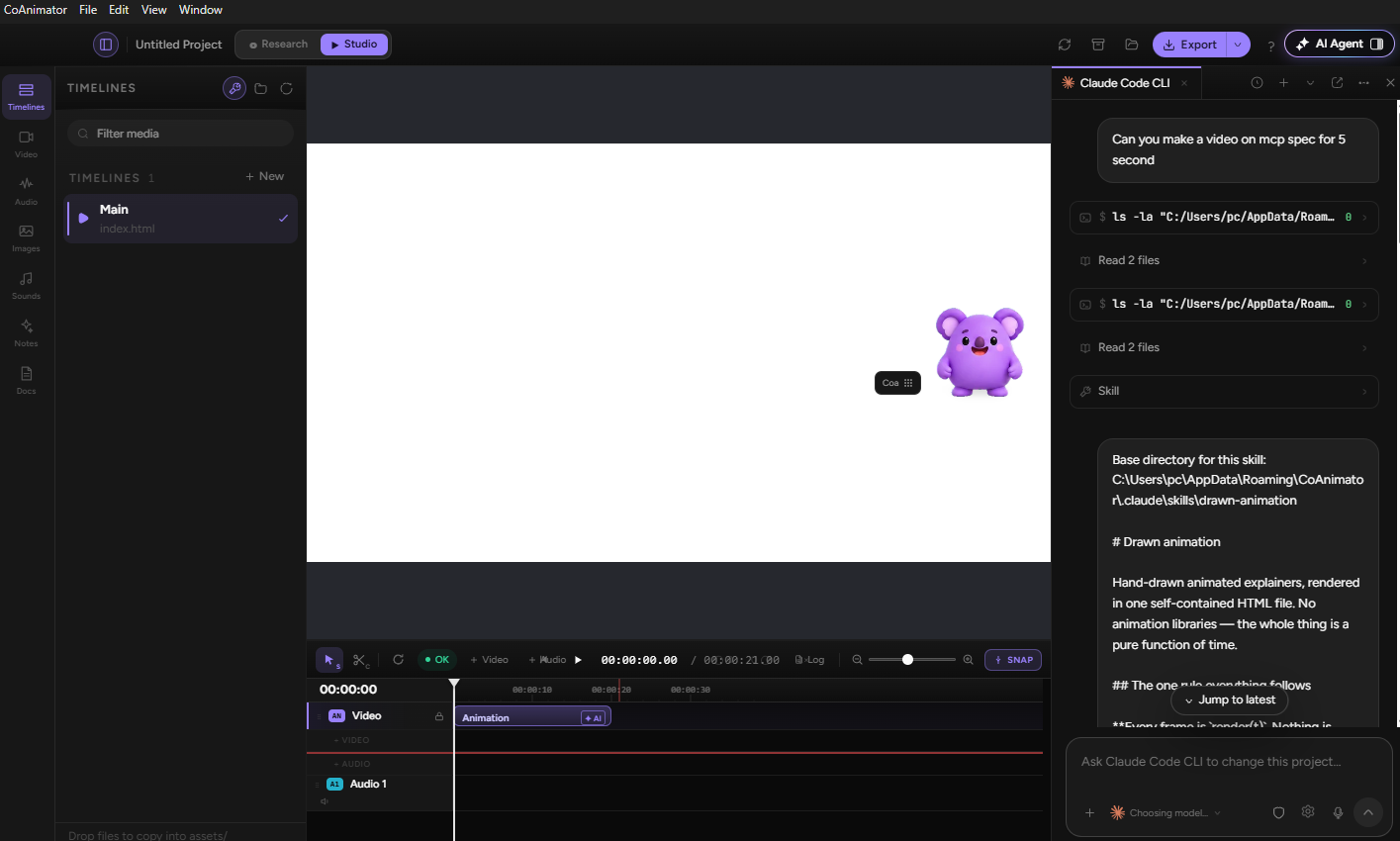
The stage previews the video scene by scene. Check each scene against the brief and redirect the agent as soon as a beat drifts, since fixing one scene costs less than rebuilding five. The project is stored as editable files, so a scene can be changed weeks later and re-rendered, which suits a launch that needs a teaser before the date and a recap after it.
4. Add voice and captions
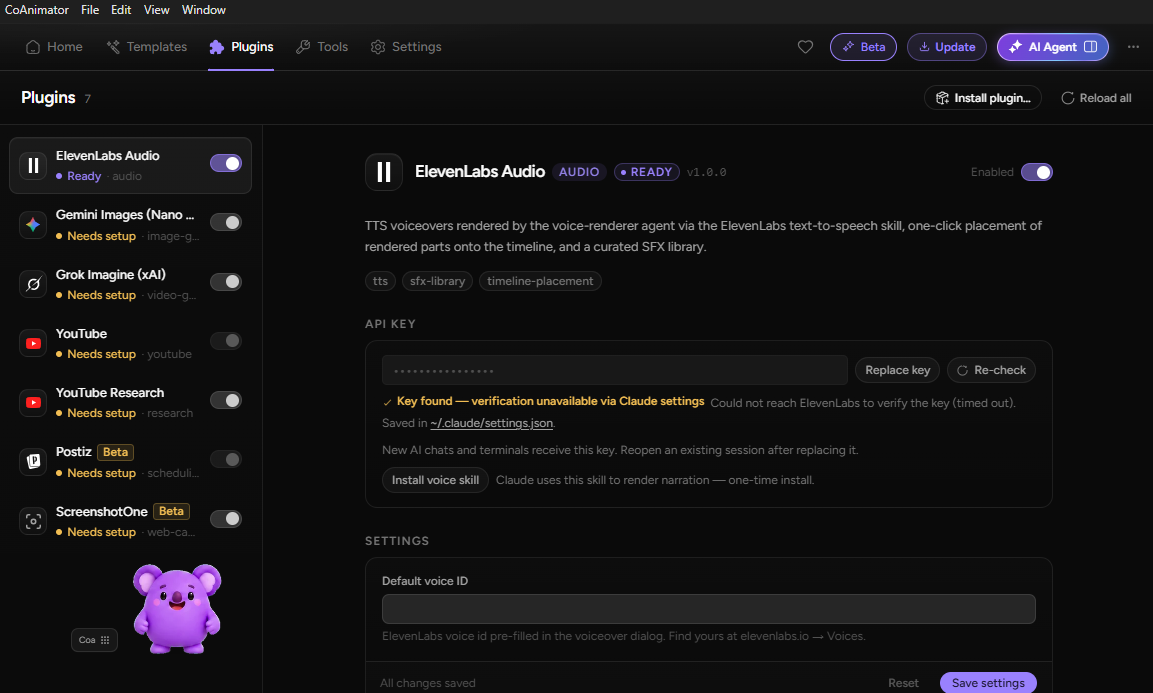
Voice and music come from plugins, and some sit behind the paid licence. Ask for narration, music and captions in the same project, then run the phone checks from steps 6 and 7.
5. Export and render
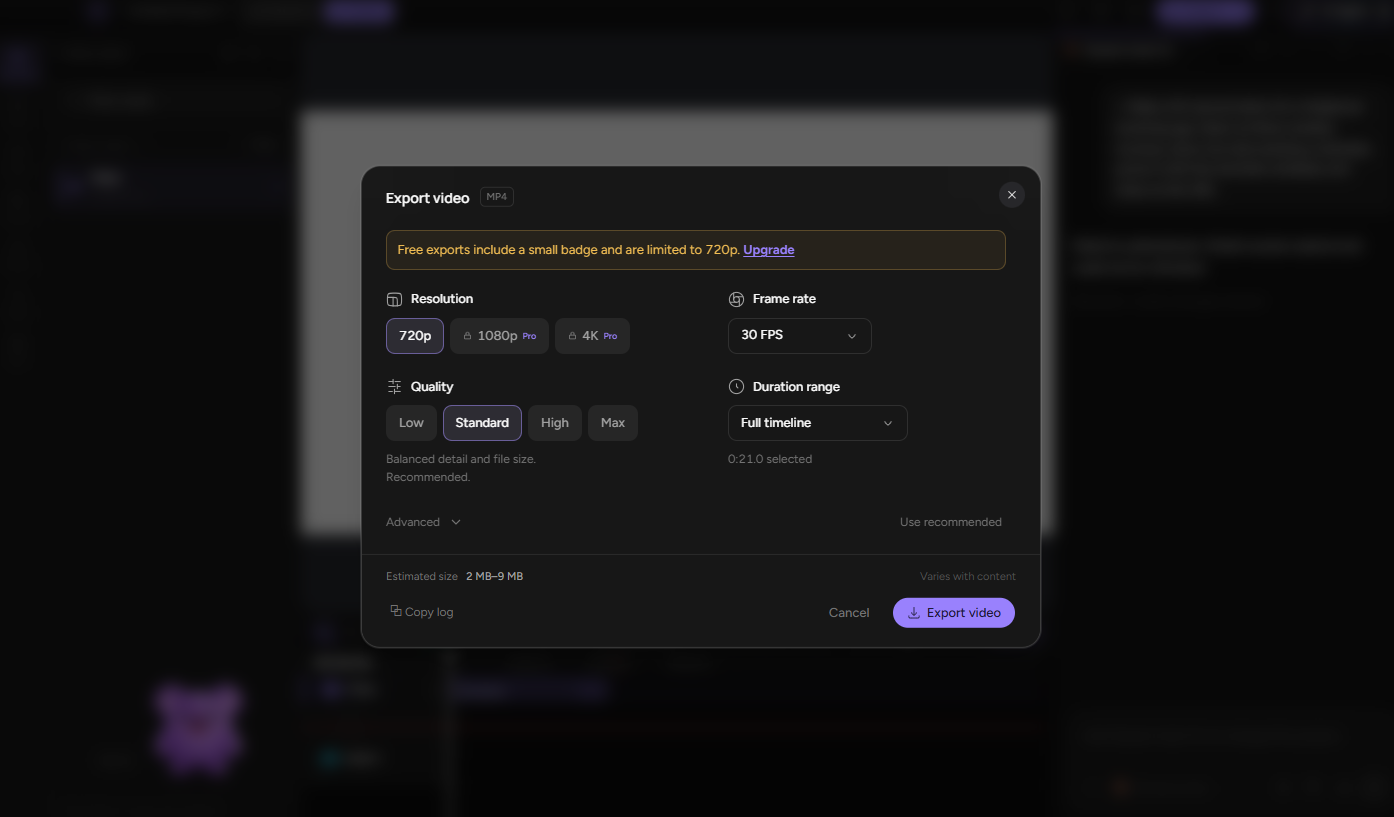
Open the Export menu to set resolution, frame rate, quality and duration range, and run one export per destination as in step 8. The free tier exports at 720p on the short side with a watermark, so check the licence tier before the final render. Once installed, the coa command line tool renders from the terminal, for example with coa render my-demo.
Questions
4Should I write the script before or after the storyboard?
Script first. The storyboard translates the script's beats into shots, so storyboarding first means guessing at shots for an argument that doesn't exist yet.
What's the difference between a launch video and a demo video?
A launch video argues why the product matters now, built to be watched once, cold, by someone unfamiliar with it. A demo video shows how a specific feature works, usually watched later by someone already sold on the product.
Can I make a product launch video with AI?
Yes, in three ways. Prompt-based generators build a full cut from a written script, agent-driven tools such as CoAnimator build an editable project from a plain description, and AI-assisted steps like auto-captions or voice cleanup sit inside a traditional editor. Each still needs the same script and message decisions as a manual production.
How do I know a launch video is ready to publish?
Show it to someone who has never seen the product, with no explanation. If they can say what it does and what to do next, it's ready. For a launch with real stakes riding on it, a structured outside review scored against a published set of standards catches what a tired internal team stops seeing.
What AI Video Tools Cannot Replace
Rendering keeps getting faster and cheaper. Work that once took a shoot day or a week in an editor can now be drafted by an agent in a fraction of the time, and a personalised version for every account, once reserved for teams running a Remotion-style pipeline, is heading toward a request any team can make.
When drafts are cheap, the scarce skill is knowing which four seconds matter most. The answer comes from the one-sentence brief written at the start, not from the generator, and the habit carries over to whatever tools replace today's. Before your next launch, write the sentence from step 1, pick the route that fits your budget, and judge every draft against it.
We plan and build these ourselves, from the one-line brief through storyboard, shoot or render, to final export, and we'll tell you honestly when a fast draft beats a full production for what you're launching. Tell us what you're making, and what is in the way.