Runway vs Higgesfiled vs OpenArt
Compare Runway, Higgsfield and OpenArt on models, camera control, editing, rights, agent support and real cost per clip, with a test brief to choose.
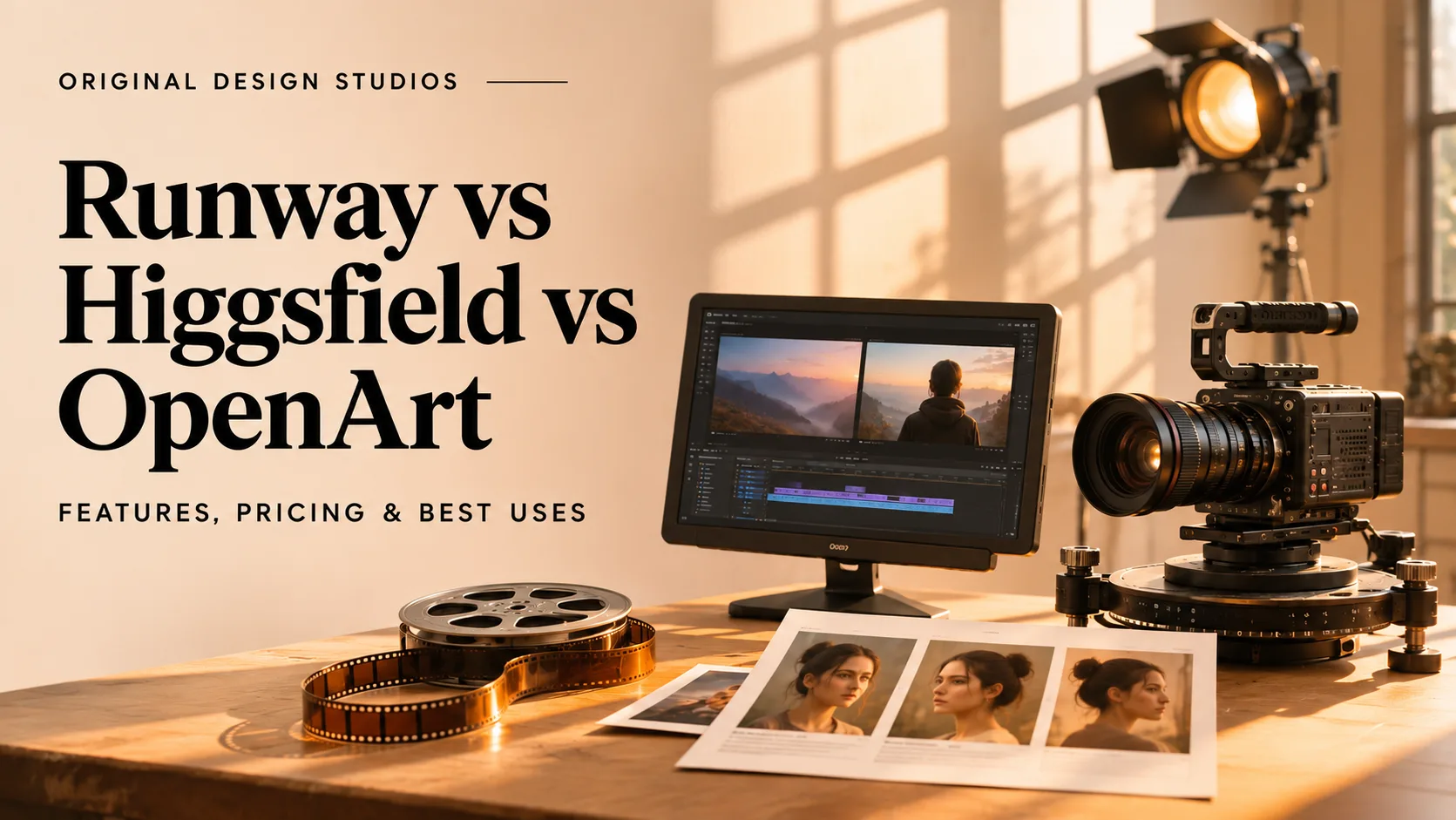
A Runway vs Higgsfield comparison only holds up once you know your input, and OpenArt adds a third starting point. Runway edits and extends footage you already have. Higgsfield sets camera, lens and lighting before it generates a shot. OpenArt builds video from product images, saved characters and storyboards.
The main trade-off is cost per revision, not headline quality. Credits are charged by model, length and resolution, so the same Kling 4.0 clip can cost about $2.83 on Runway's entry plan and about $0.80 on Higgsfield's Plus plan, and a cheap plan can run out after a few retries.
This guide orders the three by how directly each starts from your input, with footage first, then a directed shot, then still images. It covers features, limits, plan prices, rights and agent support, then shows how to test all three on one brief. For how text-to-video works before you compare tools, start with this guide to AI video generation.
What Each Platform Is Built For
Runway, Higgsfield, and OpenArt differ in how they turn source material into finished video. The distinction is not which AI models they offer, but how much control they provide at different stages of production.
Runway focuses on generating and modifying footage: It suits projects where creators need to work from existing clips, change specific visual elements, or assemble generated shots.
Higgsfield focuses on directing individual shots: It gives creators more explicit choices over camera setup, lighting, and movement before generating a scene.
OpenArt focuses on developing visual assets across multiple models: It connects image creation, reusable characters, and scene planning, making it useful when several outputs need to share a consistent visual identity.
These approaches affect how teams prepare references, handle revisions, and move from individual shots to a complete video. Choosing a platform therefore involves more than selecting the model that produces the best-looking first result.
How the Three Were Compared
Each platform faced the same five questions, in the same order.
Model access: Which models run natively, which come from other companies and whether the one you want is on your plan.
Direction controls: How much of the shot you set before generating, from camera and lens to references and saved characters.
Editing and assembly: Whether you can trim, reorder and revise inside the platform or must export first.
Rights and handoff: What the plan allows commercially and what a finishing editor receives.
Cost per approved output: What an accepted result costs once retries, resolution and revisions are counted.
The entries follow how directly each tool starts from your input, so the order reflects workflow, not a score. This comparison covers features, plans and workflow fit, not render quality, which depends on model version, settings and the brief.
Runway comes first because it starts from footage you already have.
1. Runway: Best for Editing Existing Footage
Runway is an AI video platform with its own models and tools for changing footage you already have. Gen-4.5 generates new clips, and Aleph 2.0 edits a take after you change one frame, then carries that change through the rest of the video.
It fits best when a client has approved a shoot and only the background, lighting or a prop needs to change.
Strengths
Gen-4.5 and outside models: Gen-4.5 costs 12 credits per second, and every paid plan opens models from other companies, including Kling 4.0 and Seedance 2.0 Pro.
Aleph 2.0 in Edit Studio: Re-works 2 to 30 seconds of footage with up to 10 cuts at 480p to 1080p, shows a keyframe preview before the full render and costs 28 credits per second with a 56-credit minimum.
Act-Two: Animates a character from a reference performance, which suits stylized or character-led work.
Agent and timeline: The Agent builds multi-shot videos from a conversation, and a timeline editor handles cutting and reordering.
Audio and finishing formats: Paid plans generate music, voice and sound effects, Pro adds custom voice clones and unlimited 4K upscaling, and Max adds HDR, ProRes and image-sequence output.
Limitations
Revisions burn credits quickly: At 140 credits per five-second Aleph 2.0 edit, Standard's 625 monthly credits cover about four of them, so a few rounds of changes can empty the month.
Key tools sit higher up the ladder: Runway MCP starts at Pro, HDR and ProRes need Max, and ProRes or PNG-sequence output adds 5 credits per second in Edit Studio.
Pricing
Free: $0, 125 one-time credits that do not expire, 5GB storage
Standard: $12 a month billed annually ($15 monthly), 625 credits, no watermarks
Pro: $28 a month billed annually ($35 monthly), 2,250 credits, Runway MCP
Max: $76 a month billed annually ($95 monthly), 9,500 credits, HDR and ProRes output
Rates change, so confirm them on Runway's current plans and credit rates before you budget.
Best For
Video editors and studios who change approved footage or generate clips with Runway's own models.
2. Higgsfield: Best for Directed Camera Shots
Higgsfield is an AI image and video platform built around shot direction. It runs outside video models such as Seedance and Kling next to its own Soul image models, and wraps them in studios for cinematic work, marketing video and characters.
Its Cinema Studio moves camera, lens, aperture and lighting out of the prompt and into settings chosen before generation.
Strengths
Cinema Studio 4.0: The Director's Panel sets the camera body (including 35mm Film, 8mm Film and DV Camcorder), lens, aperture, genre, era and tempo, with 50+ color palettes and six lighting presets.
References and length: Takes up to 50 references and renders clips of up to 30 seconds with native audio, including speech, sound effects and music.
Elements and Soul ID: Characters, locations and props save as reusable Elements, and training a Soul ID character costs 25 credits once.
Extend and edit modes: Forward and Backward Extend continue an uploaded clip of up to 30 seconds, and Edit Video changes an object or face without regenerating the whole clip.
Models and integrations: Plus and Ultra open every model, including Seedance 2.5 and Kling 4.0, and an After Effects plugin plus MCP, CLI and API routes serve post teams and agents.
Limitations
Credits climb with every setting: A five-second Seedance 2.5 clip rises from 35 credits at 720p to 80 at 1080p, and a 30-second clip at 720p costs 210, six times the five-second price.
Credit rules have edges: Completed generations are never refunded, Cinema Studio is never part of an Unlimited window, MCP, CLI, Canvas and Supercomputer always charge credits, and the API runs on a separate dollar balance.
Pricing
Free: $0, no credits, limited models, watermark can appear
Starter: $19 a month, 270 credits, commercial use, selected models
Plus: $59 a month, 1,200 credits, every model, Start and End Frame control
Ultra: $129 a month, 3,000 credits, up to eight video jobs at once
Prices shown are US list prices on monthly billing, and annual billing lowers the monthly rate. Higgsfield adjusts plans and credits by country, so confirm the plan, billing period and credits shown at checkout on Higgsfield's pricing page.
Best For
Art directors and creators who build new product shots or ad scenes with camera, lens and lighting set before the first render.
3. OpenArt: Best for Images and Recurring Characters
OpenArt is a multi-model workspace for images, video and audio rather than a single video generator. It lists more than 100 models from several companies under one credit pool.
Its Multi-View tool turns one image into nine angles, so a character or product can be approved from every side before any video credits are spent. For stills alone, seven AI image generators compared covers pricing and commercial terms.
Strengths
Multi-model access: One credit pool covers image, video and audio models, including Seedance 2.5, Kling 4.0 and Veo 3.1.
Characters and Multi-View: Build a character from a reference photo, a text description or Character Builder presets, then reuse it across image and video tools.
Smart Shot and Director: Smart Shot drafts a shot plan with storyboard frames, a camera floor plan and lighting notes before rendering a 10 to 20 second video of three to five shots, and Director builds multi-scene videos of up to five minutes.
Worlds and Brand Kit: Worlds turns up to four images into a 3D location you can move through, and Brand Kit saves a project's logo, colors and fonts for GPT Image and Seedance 2.0 generations.
VFX and IP checks: VFX swaps backgrounds or relights shot footage without a green screen, and IP Safety Check scans up to 32 files for logo and likeness matches on every paid plan.
Limitations
Client work starts at Plus: Commercial use rights begin at the Plus plan, so Starter output belongs on personal and experimental projects.
Some routes have ceilings: VFX exports at 720p or 1080p, and Character is not yet available through MCP.
Pricing
Free: $0, trial credits for testing
Starter: $13 a month billed annually ($14 monthly), 4,000 credits, no commercial use rights
Plus: $27 a month billed annually ($34 monthly), 12,000 credits, commercial use rights
Pro: $44 a month billed annually ($56 monthly), 24,000 credits
Wonder: $175 a month billed annually ($240 monthly), 106,000 credits
Discounts rotate, so confirm the figures on OpenArt's pricing page at checkout.
Best For
Designers and small creative teams who turn product images and recurring characters into multi-scene campaigns.
Runway vs Higgsfield vs OpenArt Comparison
The table lines the three up on the criteria used throughout.
Criterion | Runway | Higgsfield | OpenArt |
|---|---|---|---|
Best starting point | Existing footage | A shot with defined camera work | Stills and recurring characters |
Model access | Own models (Gen-4.5, Aleph 2.0, Act-Two) plus outside models | Own Soul image models plus outside video models | 100+ models from several companies |
Direction controls | Reference images and keyframes | Director's Panel with camera, lens, aperture and lighting | Smart Shot plans, Multi-View angles and Worlds |
Editing and assembly | Edit Studio and Agent timeline | Canvas workspace and Edit Video mode | Director Scenes and Timeline views, plus VFX |
Longest sequence tool | 30-second Edit Studio edits | 30-second Cinema Studio clips | Director videos up to 5 minutes |
Audio | Music, voice and sound-effect generation | Native audio in Cinema Studio, Higgsfield Speak lipsync | Audio models in the shared credit pool, native audio in Director |
Rights | No watermarks from Standard | Commercial use from Starter | Commercial use rights from Plus |
Developer route | API through Runway Dev, MCP from Pro | API, MCP and CLI | MCP and CLI, no API key |
Entry paid plan | Standard, $15 monthly, 625 credits | Starter, $19 monthly, 270 credits | Starter, $14 monthly, 4,000 credits |
Kling 4.0, 5 seconds at 1080p | 118 credits, about $2.83 on Standard | 16.25 credits, about $0.80 on Plus | Rate set per model and resolution |
Credits differ by platform, so use the table to shortlist and the last row to sanity-check cost.
Commercial Rights and Client Handoff
Permission to publish an output and permission to upload client material are separate questions.
Runway: Standard removes watermarks, and Max adds ProRes or PNG-sequence output for a finishing editor.
Higgsfield: Free-plan output cannot be used commercially and can carry a watermark, while paid plans include commercial use. Enterprise adds exclusion of customer inputs and outputs from model training.
OpenArt: Commercial rights start at Plus. IP Safety Check flags possible logo and likeness matches on every paid plan, and OpenArt states that it never trains on customer data.
All three: Clear faces, voices, music and brands yourself, and read the current terms on training use before you upload client footage.
Export one real clip before committing and open it in your editor. Judge any titles after the platform re-encodes the file, since legibility has to survive compression, and check the file against a delivery target with the bitrate and file size calculator.
API, MCP and Team Features
All three offer developer routes, so compare them by supported operations and billing.
Runway: Pro and Max include Runway MCP, and the API runs through Runway Dev. Unified pricing lets purchased credits work across the web app and Runway Dev, and admins can track and transfer credits between the two. It targets enterprise commitments, and developer operations carry their own per-model rates, so confirm how your plan links the two before budgeting a pipeline.
Higgsfield: MCP, CLI and API access, with the API on a separate dollar balance. Team is $79 per seat for 2 to 9 people with 1,000 credits per seat, and Scale is $215 per seat for 5 to 15 people with 2,500 credits per seat and Basic SSO.
OpenArt: MCP and CLI work in ChatGPT, Claude, Cursor and Kimi through OAuth with no API key, and every generation spends the same credits as the web app. Smart Shot runs through MCP, while Character is still on the roadmap.
OpenArt skills: Ready-made workflows cover ad videos, and three of them edit footage you already have, with Replace Background, Relight Video and Dub Video, which translates speech into 22 languages with lip sync.
Before building a pipeline, test the exact operations you need, including retries, output retrieval and who can spend credits.
Alternatives Worth a Look
Three alternatives suit different starting points, from Adobe apps to a single model to editable project files.
Adobe Firefly suits designers who already work in Adobe apps, since results move straight into Photoshop, Premiere or Express. Credits reset each billing cycle and do not roll over.
Kling is Kuaishou's video model family, and Kling 4.0 makes 3 to 30 second clips with native audio, which suits people who want the model without a platform around it. It means a separate account and credit balance, since the same model already runs inside all three platforms above.
CoAnimator lets the AI agent you already use, such as Claude Code or Codex, build product demos, launch videos and tutorials scene by scene as editable project files, with unlimited local renders, no credit meter and a
coacommand-line renderer for CI. It is free forever with a one-time lifetime license.
With the shortlist set, the next section turns it into a decision.
How to Choose Between Runway, Higgsfield and OpenArt
Start from your deliverable, then confirm the pick with one test.
Filmed footage that needs a new background or lighting: Test Runway Aleph first, and compare OpenArt VFX.
An ad shot with set camera and lens choices: Test Higgsfield Cinema Studio first.
A recurring character or brand look across scenes: Test OpenArt Characters, Director and Brand Kit first.
A repeatable automated workflow: Compare the API and MCP operations on all three.
Before spending credits, confirm that your plan allows commercial use, that you may upload the client's material and that the model supports your inputs, shot length and export format. Then give every shortlisted tool the same 20-second brief, built from a presenter holding a matte blue bottle as the camera moves in (5 seconds), one spoken line (10 seconds) and a close-up ending on the approved bottle view (5 seconds). Change one detail per revision, and run Kling 4.0 first, since all three offer it, to separate the platform from the model. When you review the opening shot, ask whether it gives a viewer a reason to keep watching, as this guide to giving the opening a clear purpose explains.
Log the credits and the reason for every rejected take, then divide your total cost by the seconds you kept. The total is your plan share, extra credits and editing time. Drop any tool that fails a check, and pick the lowest cost per approved second, not the lowest subscription price. To turn the winning approach into a full launch piece, follow this product launch video guide.
Questions
5Is Runway or Higgsfield better?
It depends on your goals. Runway is better for serious filmmaking and client work, offering 4K resolution, high visual consistency, and built-in editing tools. Higgsfield is better for social media creators, excelling at realistic human motion, lip-syncing, and quick product placement for short-form ads.
Is Higgsfield or OpenArt better?
OpenArt is generally better for all-in-one versatility, image editing, and multi-scene storytelling, whereas Higgsfield is better for single-shot cinematic camera controls and smooth social video presets
Which of the three is cheapest?
Runway has the lowest starting plan at $12/month (billed annually), followed by OpenArt Starter at $14/month. For a 5-second 1080p Kling clip, Higgsfield Plus works out to about $0.80, compared to $1.18 on Runway Max and $2.83 on Runway Standard, while OpenArt prices models individually inside its generator.
Is OpenArt legit, and is it worth it?
Yes, OpenArt is a legitimate platform that bundles 100+ image, video, and audio models into one workspace. It is worth it for creators wanting consistent characters and multi-scene storytelling without multiple subscriptions, though heavy video users should watch its fast credit burn and strict no-refund policy
Can I use the outputs commercially?
Yes, Higgsfield includes commercial use on paid plans, and OpenArt from Plus. Runway removes watermarks from Standard, so check its terms for the plan you use. On every platform, you still need permission for faces, voices, music and third-party brands.
Conclusion
Clip length is the next line to watch. Runway's Edit Studio, Higgsfield's Cinema Studio and Kling 4.0 all top out at 30 seconds in one pass, while OpenArt's Director already assembles scenes into videos of up to five minutes. As single-shot limits converge, the differences that last are likely to be sequence handling, revision control and agent access, and all three already ship MCP routes.
Treat each new model release as a reason to rerun your brief, not to switch platforms. Keep character sheets, approved frames and shot lists as portable files, and a project can move to whichever tool passes the test that month. Generated footage still needs a designer's eye for pacing, titles and delivery, and when a draft has to become a product film or launch piece, Original Design Studios' motion and video team is a natural place to continue.